'/%3e%3cdefs%3e%3clinearGradient%20id='paint0_linear_707_1028'%20x1='3.55675'%20y1='9.71862'%20x2='12.6967'%20y2='23.6488'%20gradientUnits='userSpaceOnUse'%3e%3cstop%20offset='0.0938117'%20stop-color='%2352EB07'/%3e%3cstop%20offset='0.347535'%20stop-color='%233EF040'/%3e%3cstop%20offset='0.768595'%20stop-color='%2300FFF7'/%3e%3c/linearGradient%3e%3c/defs%3e%3c/svg%3e)

What is EduBrain AI Math Solver?
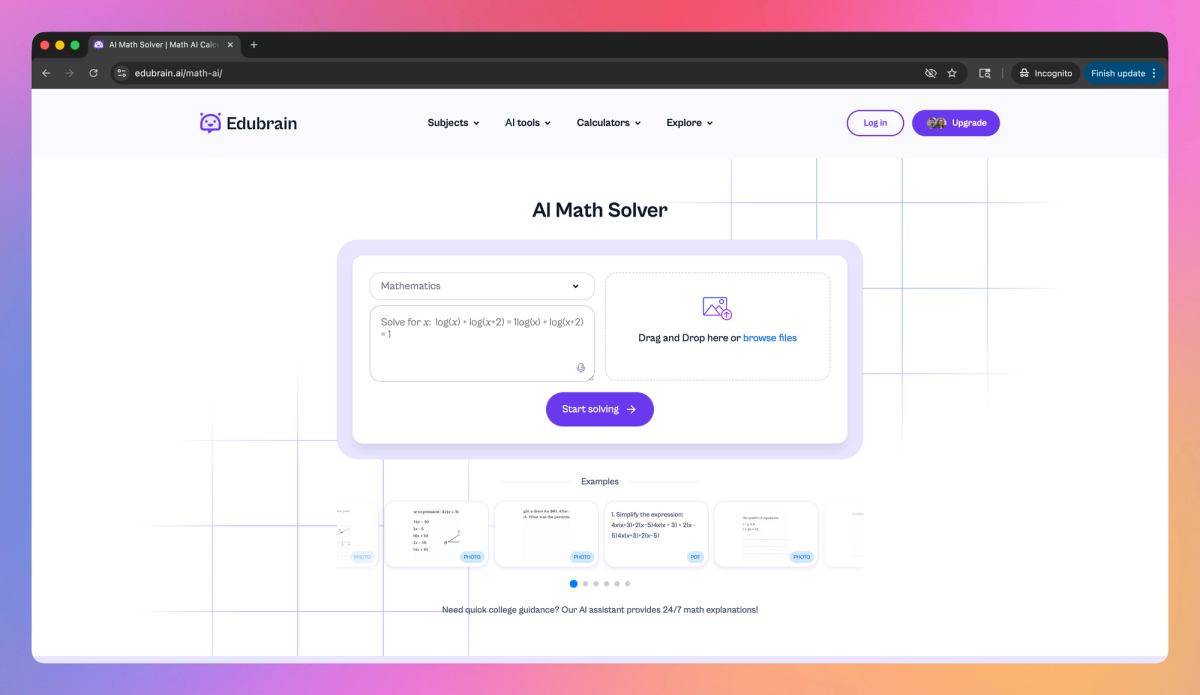
EduBrain AI Math Solver is an AI-powered mathematics assistant designed for students from middle school through college. It provides step-by-step explanations for problems ranging from basic algebra to calculus, accepts multiple input formats including typed equations and uploaded images, and delivers personalized tutoring-style guidance that helps students understand mathematical concepts rather than just memorize answers.
What sets EduBrain AI Math Solver apart?
EduBrain AI Math Solver sets itself apart with its homework verification system that checks student calculations and identifies specific errors in their work. This error-detection approach proves beneficial for learners who want to validate their problem-solving process before submitting assignments and catch mistakes they might have missed. The tool's commitment to providing unlimited free access across multiple languages breaks down traditional barriers that often limit students' access to quality math support.
EduBrain AI Math Solver Use Cases
- Homework problem solving
- Step-by-step math explanations
- Calculation error checking
- Math concept tutoring
Who uses EduBrain AI Math Solver?
Features and Benefits
'/%3e%3cdefs%3e%3clinearGradient%20id='paint0_linear_1182_27871'%20x1='12.385'%20y1='12.5872'%20x2='48.2299'%20y2='32.1489'%20gradientUnits='userSpaceOnUse'%3e%3cstop%20offset='0.0938117'%20stop-color='%2352EB07'/%3e%3cstop%20offset='0.347535'%20stop-color='%233EF040'/%3e%3cstop%20offset='0.768595'%20stop-color='%2300FFF7'/%3e%3c/linearGradient%3e%3c/defs%3e%3c/svg%3e) Each math problem is broken down into clear, sequential steps that guide through the solving process without skipping important details. Step-by-Step Solutions
Each math problem is broken down into clear, sequential steps that guide through the solving process without skipping important details. Step-by-Step Solutions - Math problems can be entered through typing, voice commands, or by uploading images of written problems for quick analysis. Multiple Input Methods
- The solver handles everything from basic arithmetic to advanced calculus, making it suitable for middle school through college-level mathematics. Comprehensive Math Coverage
- Problems are explained in a tutoring style that adapts to different learning approaches rather than just providing answers. Personalized Learning
- Solutions are reviewed for accuracy, helping identify mistakes in calculations and strengthening problem-solving skills. Error Detection
EduBrain AI Math Solver Pros and Cons
'/%3e%3cpath%20fill-rule='evenodd'%20clip-rule='evenodd'%20d='M16.0466%206.18948C16.3178%206.46068%2016.3178%206.90038%2016.0466%207.17157L8.40771%2014.8105C8.13652%2015.0817%207.69682%2015.0817%207.42562%2014.8105L3.9534%2011.3382C3.6822%2011.067%203.6822%2010.6273%203.9534%2010.3561C4.2246%2010.085%204.66429%2010.085%204.93549%2010.3561L7.91667%2013.3373L15.0645%206.18948C15.3357%205.91828%2015.7754%205.91828%2016.0466%206.18948Z'%20fill='%23343634'/%3e%3cdefs%3e%3clinearGradient%20id='paint0_linear_1569_59'%20x1='0.289288'%20y1='-0.211567'%20x2='31.2845'%20y2='15.6364'%20gradientUnits='userSpaceOnUse'%3e%3cstop%20offset='0.0938117'%20stop-color='%2352EB07'/%3e%3cstop%20offset='0.347535'%20stop-color='%233EF040'/%3e%3cstop%20offset='0.768595'%20stop-color='%2300FFF7'/%3e%3c/linearGradient%3e%3c/defs%3e%3c/svg%3e) Provides clear, step-by-step explanations that help users understand concepts rather than just giving quick answers
Provides clear, step-by-step explanations that help users understand concepts rather than just giving quick answers - Available 24/7 for homework assistance when tutors or teachers aren't accessible
- Significantly reduces study time and stress while improving grades and confidence
- Adapts explanations to different learning levels and can provide both detailed and concise responses as needed
- Works across 90+ subjects including math, chemistry, computer science, and economics
- Requires no forced sign-ups or subscriptions, making it easily accessible to users
 May create dependency issues where students rely too heavily on AI assistance rather than developing independent problem-solving skills
 - Could potentially be misused by students who copy answers without engaging with the learning process
- Limited feedback available about potential accuracy issues or subject matter limitations
- Lack of human interaction may not suit all learning styles or complex conceptual discussions
Pricing
- Full access without payment
- Step-by-step math solutions
- No usage limits mentioned






EduBrain AI Math Solver Alternatives








'%3e%3cpath%20d='M4.60555%2017.8438L6.02951%2011.7057L1.26367%207.57379L7.55263%207.03317L10.0005%201.24316L12.4485%207.03317L18.7374%207.57379L13.9716%2011.7057L15.3955%2017.8438L10.0005%2014.5852L4.60555%2017.8438Z'%20fill='%23FFD600'/%3e%3c/g%3e%3c/svg%3e) 4.3 • 27
4.3 • 27